Shawshanker / WoW Addons
Shaw's UI
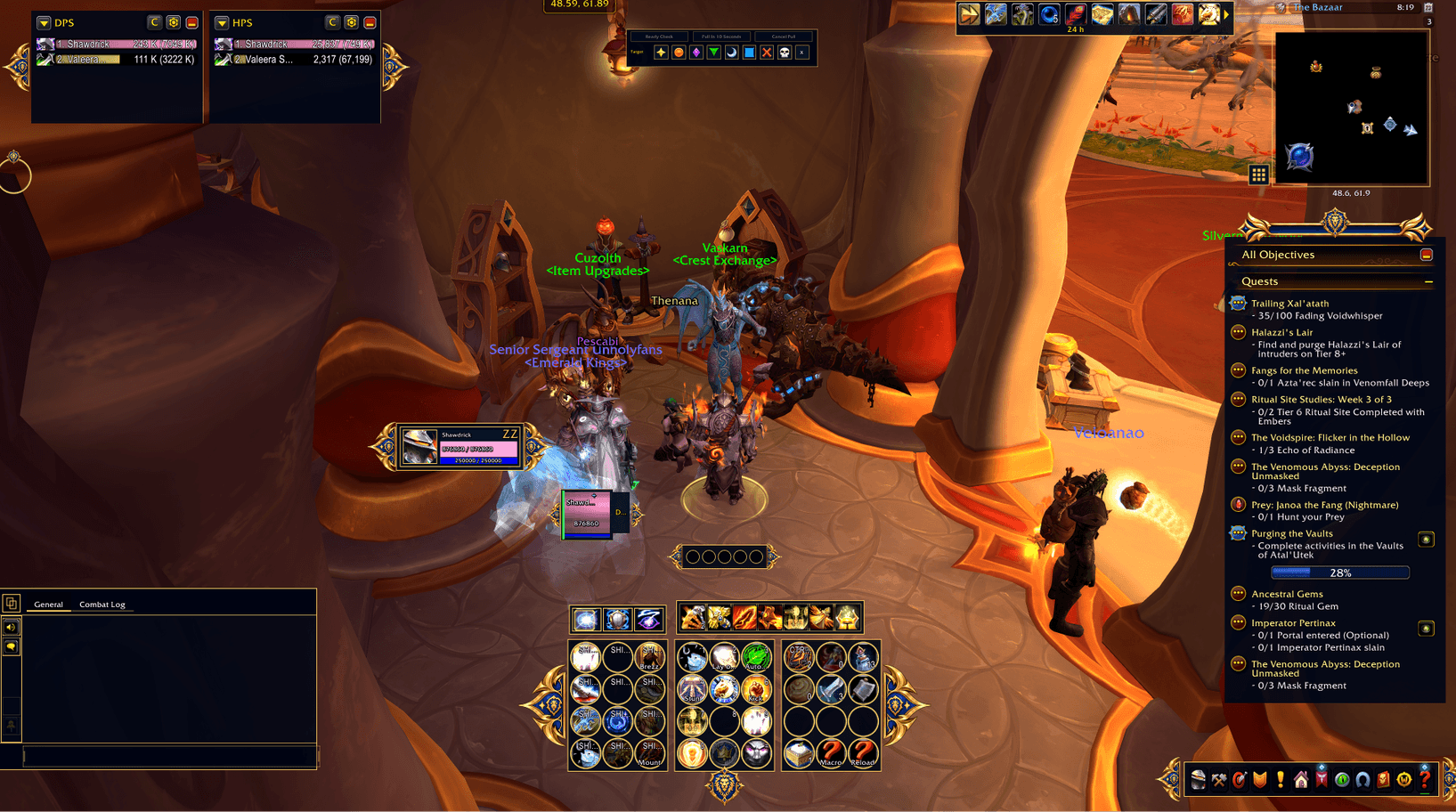
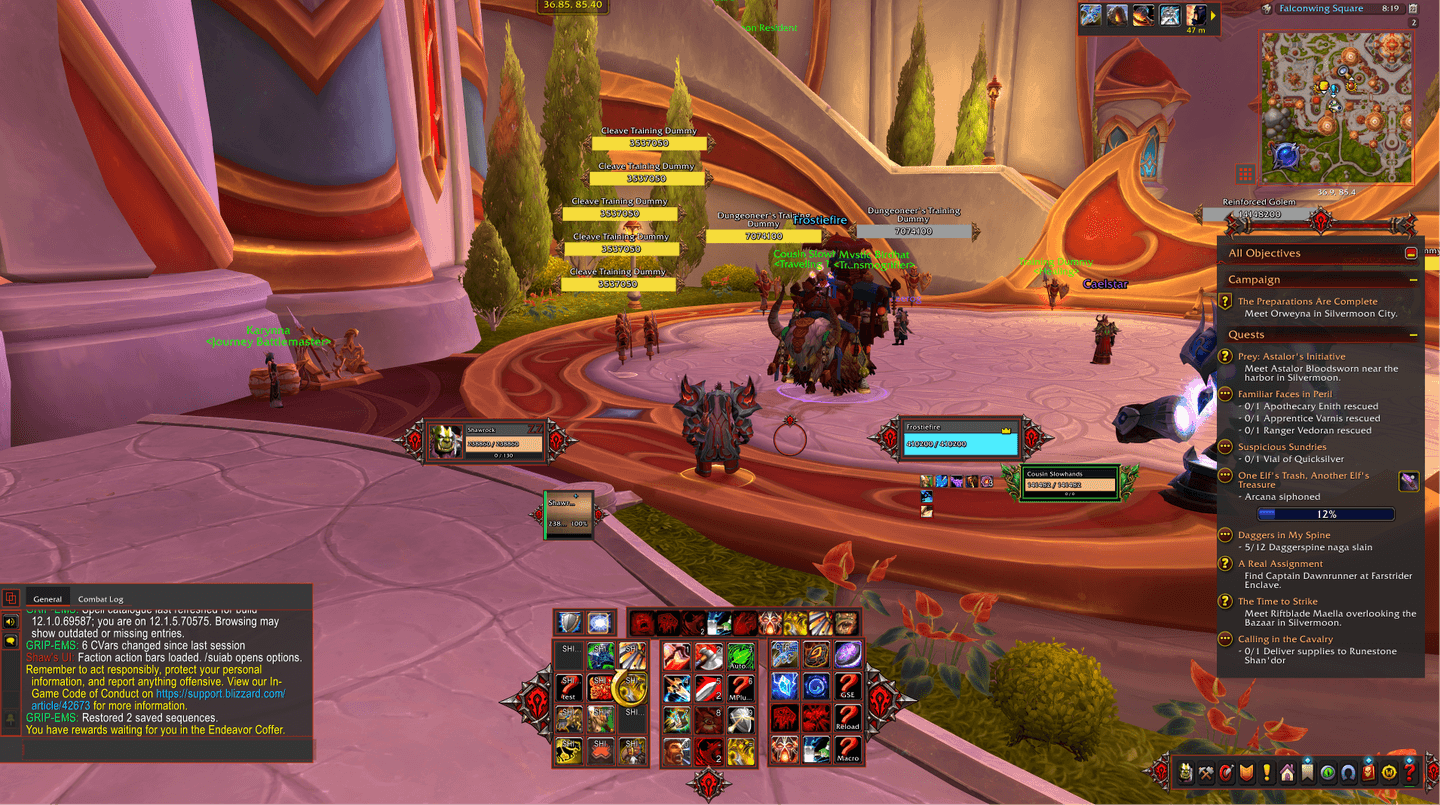
A complete, customizable interface built to feel at home in World of Warcraft. Choose an Alliance or Horde theme and bring your everyday tools together in one coordinated layout.
Download on CurseForge ↗All WoW Addons →Alliance or Horde. Your interface.
What’s included
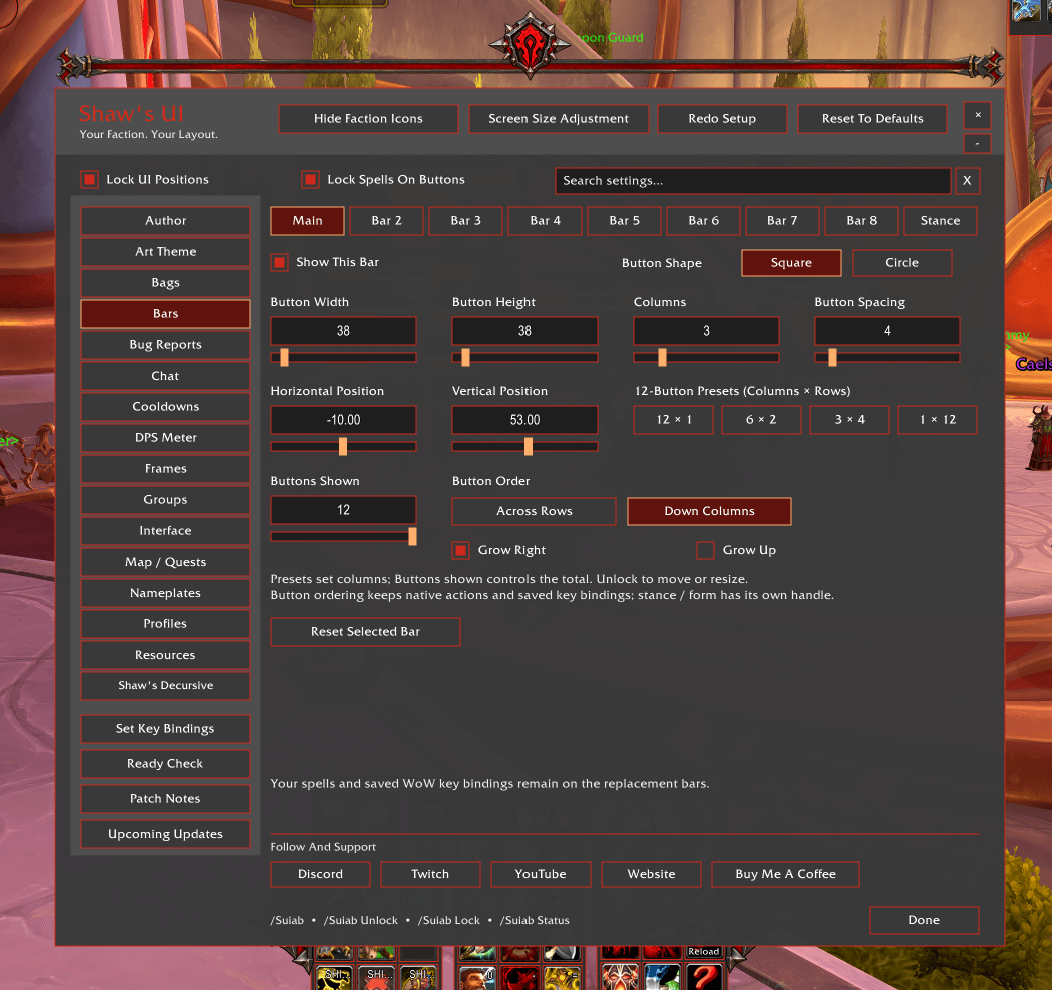
- Themed action bars, player and target frames, party and raid frames, class resources and nameplates.
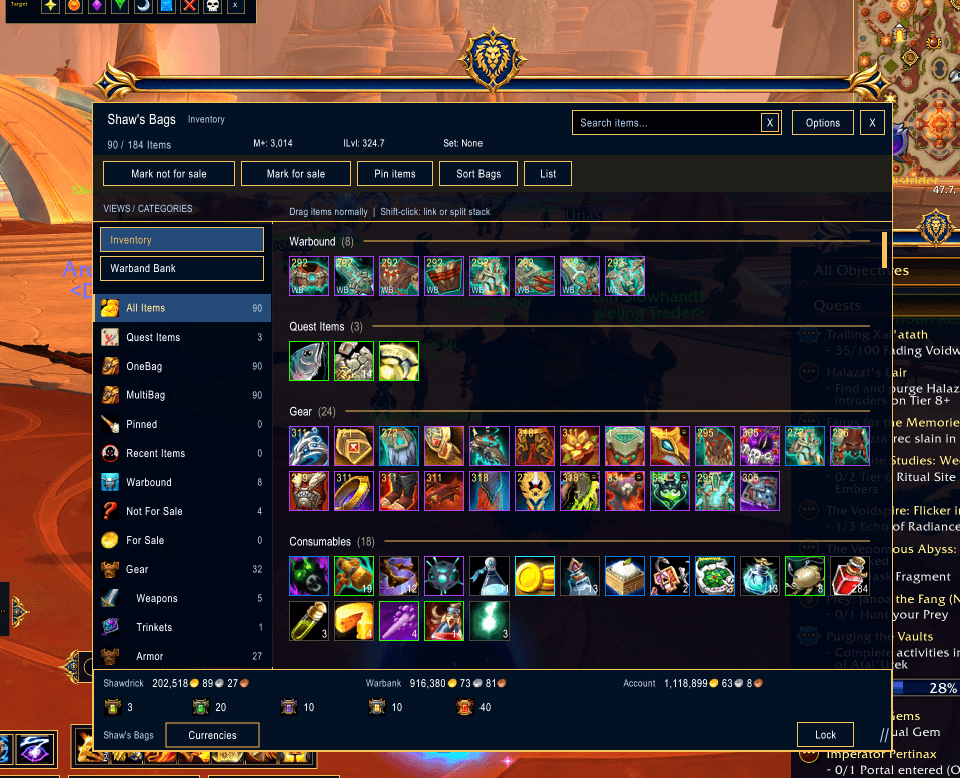
- Integrated bags with categories, search, pins and protected sale controls.
- Dungeon food, flask, weapon-buff and class-buff reminders, plus ready-check reports.
- Raid markers, ready checks, pull timers and a movable raid quick bar.
- Mythic+ teleports for dungeon-teleport abilities your character has learned.
- Coordinated chat, minimap, quest tracker and Blizzard-window styling.
- Optional skins for Auctionator and Deadly Boss Mods.
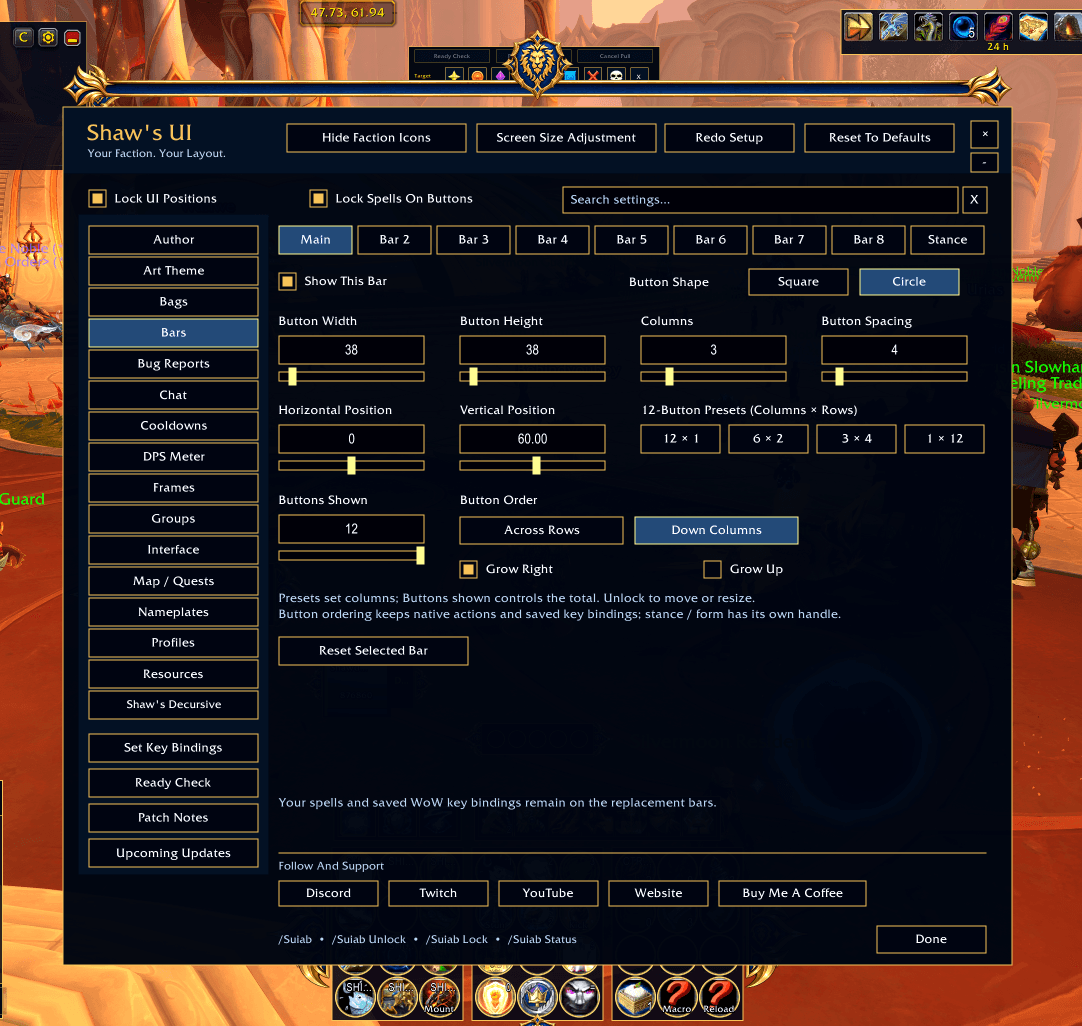
- Role layout presets, character profiles, settings search and Unlock / Edit Mode.
Make it your own
Search the settings, choose a role preset and arrange your interface with Unlock / Edit Mode. Character profiles help keep the layout suited to the character you are playing.
Getting started
- Install Shaw’s UI for WoW Retail and enable it in your addon list.
- Open
/suiand follow the setup review. - Review addons with overlapping features before applying your choices; Shaw’s UI is intended as a full interface replacement.
- Use Unlock / Edit Mode to arrange your layout.
- To use the themed damage meter, enable WoW’s Damage Meter in WoW Options → Gameplay → Advanced Options.
Readiness checks show Unknown when WoW does not supply readable information. Other players’ bags and weapon oils cannot be inspected remotely.
Help shape the next release
Version 1.0.0 is the first public release. More themes and improvements are planned. Share bugs, feature suggestions and requests to skin your favorite addon in the Shawshanker & Shaw3D Discord.
Join the Shawshanker & Shaw3D Discord ↗